
Network Cabling & Installation
CAT6/CAT6A, PoE and fiber optic network cabling for homes, offices and commercial buildings, installed, terminated and tested.
Overview
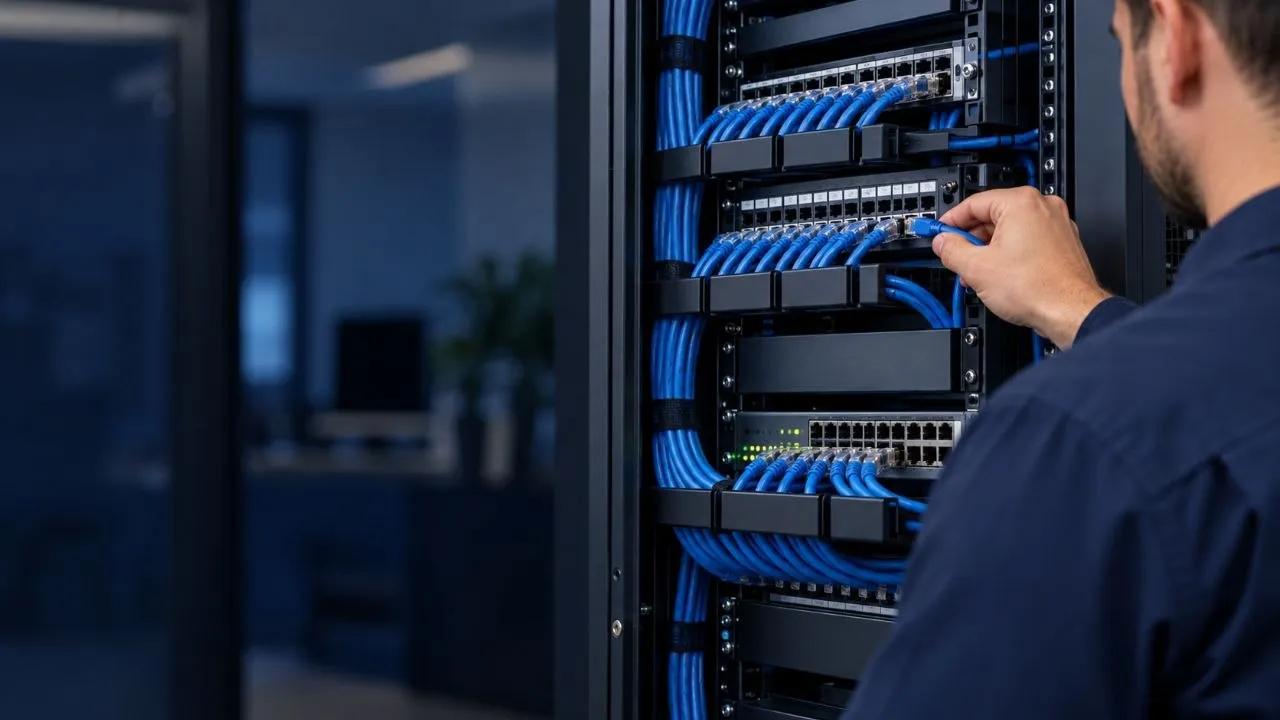
A fast network starts with the cable in the walls. We install structured network cabling for homes, offices and commercial properties across Toronto and the GTA: CAT6 and CAT6A Ethernet runs, data outlet and network jack installation, patch panel and network rack installation, Wi-Fi access point mounting and cabling, PoE runs for cameras, access points and VoIP phones, and fiber optic cabling between floors, buildings or telecom rooms. Every run is labelled, terminated to standard and tested, and because we are licensed electricians, we can add the dedicated circuits your rack, switches and PoE equipment need in the same visit.
- CAT6 / CAT6A Ethernet & fiber optic cabling
- Data outlets, patch panels & network racks
- Wi-Fi access points & PoE cabling
- Network cable testing & troubleshooting
- Office & commercial network wiring
We provide network cabling & installation across Toronto and the GTA. Have a question first? Contact us or read more about our team.
Related Services
Security Camera Installation
Wiring and power for CCTV and PoE security camera systems in homes and businesses, done right the first time.
Commercial Electrician
Reliable electrical solutions for offices, retail and industrial properties.
Basement Electrical Wiring
Electrical rough-in and finishing for basement renovations and legal second suites.
Why It Matters
Most slow or unreliable networks aren’t an internet-plan problem, they’re a cabling problem: Wi-Fi stretched to cover rooms it was never going to reach, old CAT5 runs that cap out below gigabit, cables stapled tight or run alongside power lines picking up interference, or a closet full of unlabelled wires nobody can trace. Hard-wiring desks, TVs, access points and cameras with properly terminated CAT6 or CAT6A takes load off Wi-Fi and gives each device a stable connection, and PoE lets access points and cameras run from a single cable without an outlet nearby. For offices and commercial spaces, a tidy patch panel and rack with tested, labelled runs is what makes moves, adds and troubleshooting a ten-minute job instead of an afternoon of guesswork.
How Network Cabling & Installation Works
- 1
Site survey & network planning
We walk the space, map where data outlets, access points, cameras and the rack should go, and choose CAT6, CAT6A or fiber based on distance and speed needs.
- 2
Cable runs & rough-in
We fish cable through finished walls and ceilings or rough it in during renovations, keeping data runs separated from power and within rated lengths.
- 3
Termination, rack & access points
We terminate jacks and patch panels, install the network rack, and mount and connect Wi-Fi access points and PoE devices, adding dedicated circuits if needed.
- 4
Testing, labelling & handover
Every run is certified or tested for continuity and performance, labelled at both ends, and documented so you know exactly what goes where.
What Affects the Cost
Cost is driven mainly by the number of drops and how hard the routes are: open ceilings and unfinished basements are quick, while fishing cable through finished walls, multiple floors or fire-rated assemblies takes longer. Beyond that, pricing depends on CAT6 versus CAT6A or fiber, whether the job includes a patch panel, rack and access points, any PoE switch or dedicated circuit work, and whether you need full certification testing for a commercial lease or warranty.
Frequently Asked Questions
- Should I install CAT6 or CAT6A?
- CAT6 handles gigabit speeds comfortably and 10-gigabit over shorter runs, which covers most homes and small offices. CAT6A supports 10-gigabit over the full 100-metre run and handles high-power PoE better, so we recommend it for commercial spaces, Wi-Fi 6/7 access points, and anywhere you want headroom for future upgrades.
- Can you run network cable in a finished home without opening walls?
- In most cases, yes. We fish cable through existing walls, attics and basement ceilings using small access holes, and only open drywall where there’s no other route, which we’ll tell you about before starting.
- Do you install Wi-Fi access points?
- Yes, we run PoE cabling to ceiling or wall locations and mount and connect access points so they’re powered and wired back to your switch, which gives far better coverage than a single router or mesh units relying on wireless backhaul.
- Do you install patch panels and network racks?
- Yes, we install wall-mount and floor-standing racks, terminate every run to a labelled patch panel, and tidy up cable management so your network closet is easy to maintain.
- Can you test or fix an existing network that isn’t working properly?
- Yes, we test existing cabling for continuity, wiring faults and performance, trace unlabelled runs, and re-terminate or replace damaged cable, so you know which drops are good and which need work.
- Do you install fiber optic cabling?
- Yes, we install fiber optic cabling for backbone runs between floors, telecom rooms and separate buildings, and for distances beyond what copper Ethernet can handle.
- How much does network cabling cost?
- Cost depends on the number of drops, cable type, how accessible the routes are, and whether the job includes a rack, patch panel or access points. We provide a clear quote after a site survey.
Other Services
Get Started
Request a Quote Today
Tell us about your project and we'll get back to you with a quote.
(416) 828-6976